| Components | Details |
|---|---|
| UIListLayout | Arranges UI elements in a vertical or horizontal list. |
| UIGridLayout | Arranges UI elements in a grid. |
| UITableLayout | Arranges UI elements in a table format. |
| UIPageLayout | Creates pages that can be navigated between. |
UIListLayout
Empty
Empty
Empty

Roblox Studio
local frame = Instance.new("Frame")
frame.Size = UDim2.new(0, 300, 0, 300)
frame.Position = UDim2.new(0.5, -150, 0.5, -150)
frame.BackgroundColor3 = Color3.fromRGB(255, 165, 100)
frame.Parent = game.Players.LocalPlayer:WaitForChild("PlayerGui"):WaitForChild("ScreenGui")

local uiListLayout = Instance.new("UIListLayout")
uiListLayout.SortOrder = Enum.SortOrder.LayoutOrder
uiListLayout.Padding = UDim.new(0, 10) -- Space between elements
uiListLayout.Parent = frame

-- Adding some elements to the frame
for i = 1, 5 do
	local item = Instance.new("TextLabel")
	item.Size = UDim2.new(1, 0, 0, 50)
	item.Text = "Item " .. i
	item.TextColor3 = Color3.fromRGB(0,0,0)

	item.LayoutOrder = i
	item.Parent = frame
end
UIGridLayout
Empty
Empty
Empty
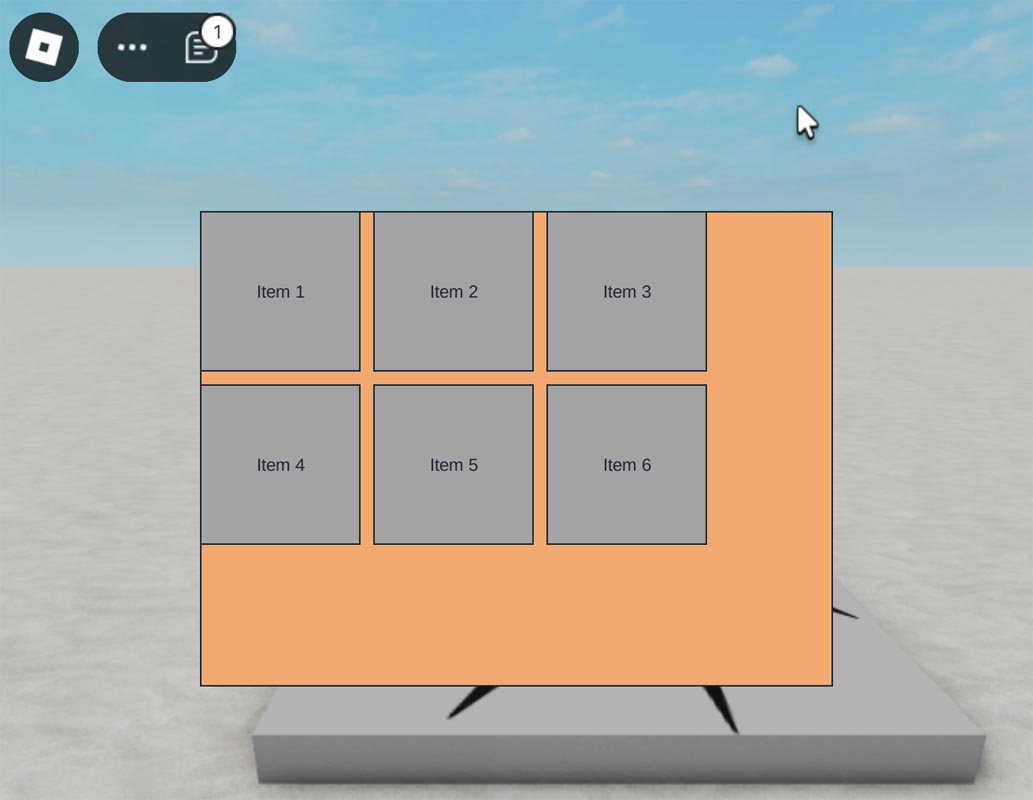
Roblox Studio
local frame = Instance.new("Frame")
frame.Size = UDim2.new(0, 400, 0, 300)
frame.Position = UDim2.new(0.5, -200, 0.5, -150)
frame.BackgroundColor3 = Color3.fromRGB(255, 165, 100)
frame.Parent = game.Players.LocalPlayer:WaitForChild("PlayerGui"):WaitForChild("ScreenGui")

local uiGridLayout = Instance.new("UIGridLayout")
uiGridLayout.CellSize = UDim2.new(0, 100, 0, 100) -- Each cell is 100x100 pixels
uiGridLayout.CellPadding = UDim2.new(0, 10, 0, 10) -- Padding between cells
uiGridLayout.Parent = frame

-- Adding some elements to the frame
for i = 1, 6 do
	local item = Instance.new("TextLabel")
	item.Size = UDim2.new(0, 100, 0, 100)
	item.Text = "Item " .. i
	item.Parent = frame
end
UITableLayout
Empty
Empty
Empty
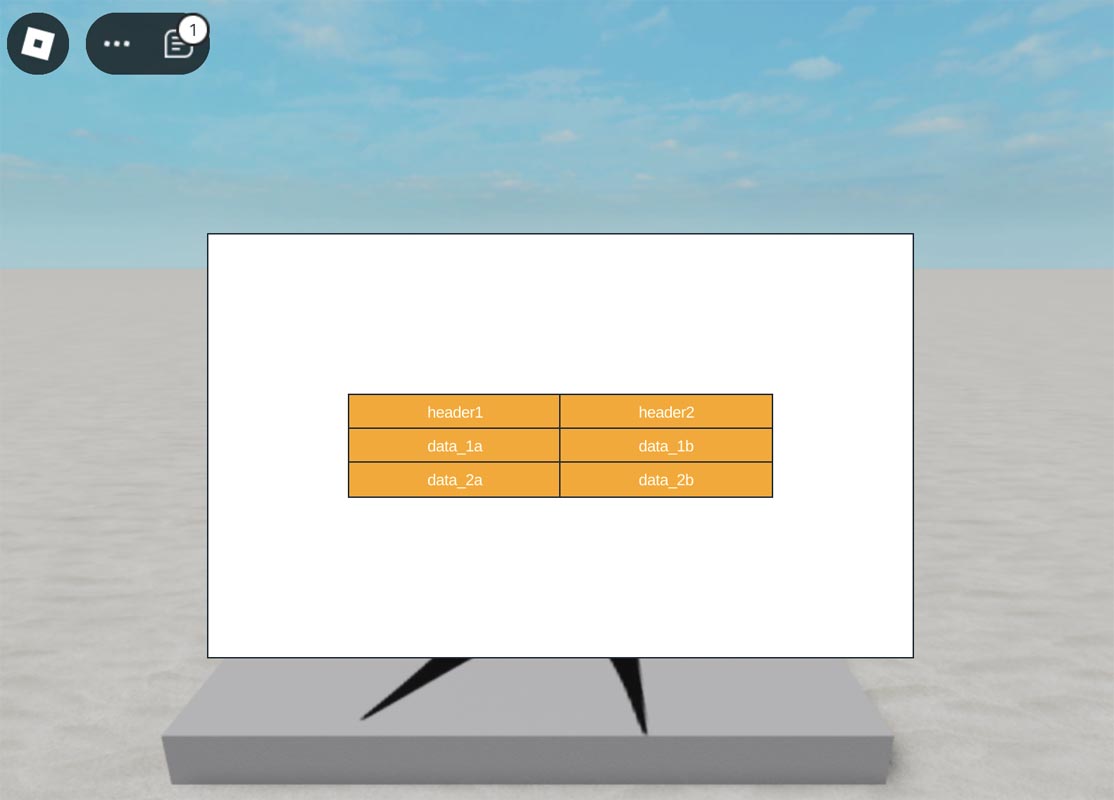
Roblox Studio
local playerGui = game.Players.LocalPlayer:WaitForChild("PlayerGui")

-- Create the main frame
local frame = Instance.new("Frame")
frame.Size = UDim2.new(0, 500, 0, 300)
frame.Position = UDim2.new(0.5, -250, 0.5, -150)
frame.BackgroundColor3 = Color3.fromRGB(255, 255, 255)
frame.Parent = playerGui:FindFirstChild("ScreenGui") or Instance.new("ScreenGui", playerGui)

-- Table data
local headers = {"header1", "header2"}
local data = {
	{"data_1a", "data_1b"},
	{"data_2a", "data_2b"},
}

-- Create the table layout
local uiTableLayout = Instance.new("UITableLayout")
uiTableLayout.FillDirection = Enum.FillDirection.Vertical
uiTableLayout.HorizontalAlignment = Enum.HorizontalAlignment.Center
uiTableLayout.VerticalAlignment = Enum.VerticalAlignment.Center
uiTableLayout.Padding = UDim2.new(0, 0, 0, 0)
uiTableLayout.SortOrder = Enum.SortOrder.LayoutOrder
uiTableLayout.Parent = frame

-- Create header and row cells
local function createCell(text, parent, data_index)
	local cell = Instance.new("TextLabel")
	cell.TextColor3 = Color3.fromRGB(255, 255, 255)
	cell.BackgroundColor3 = Color3.fromRGB(255, 165, 0)

	cell.Text = text
	cell.Size = UDim2.new(0, 150, 0, 24)
	cell.TextXAlignment = Enum.TextXAlignment.Center
	cell.LayoutOrder = data_index
	cell.Parent = parent
end

-- Create the header row
local headerFrame = Instance.new("Frame", frame)
headerFrame.Name = "Headers"
headerFrame.BackgroundColor3 = Color3.fromRGB(255, 165, 0)
for header_index, header in ipairs(headers) do
	createCell(header, headerFrame, header_index)
end

-- Create data rows
for data_index, row in ipairs(data) do
	local rowFrame = Instance.new("Frame", frame)
	rowFrame.Name = "Row" .. data_index
	rowFrame.BackgroundColor3 = Color3.fromRGB(255, 165, 0)
	for header_index, cellData in ipairs(row) do
		createCell(cellData, rowFrame, data_index)
	end
end
UIPageLayout
Empty
Empty
Empty
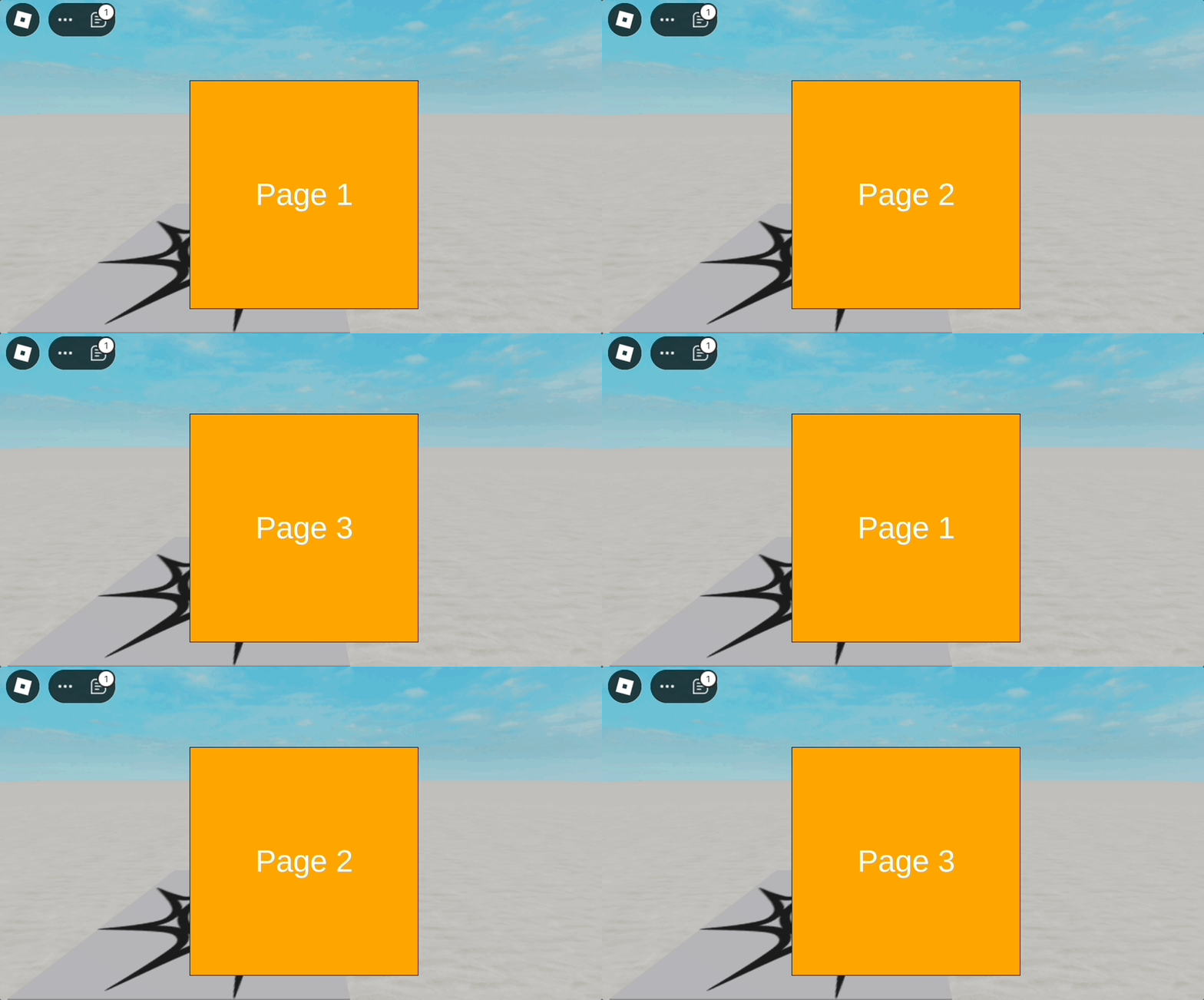
Roblox Studio
local frame = Instance.new("Frame")
frame.Size = UDim2.new(0, 300, 0, 300)
frame.Position = UDim2.new(0.5, -150, 0.5, -150)
frame.BackgroundColor3 = Color3.fromRGB(100, 100, 100)
-- Ensure only one page is visible at a time

frame.ClipsDescendants = true
local playerGui = game.Players.LocalPlayer:WaitForChild("PlayerGui")
local screenGui = playerGui:WaitForChild("ScreenGui")
frame.Parent = screenGui


local uiPageLayout = Instance.new("UIPageLayout")
uiPageLayout.FillDirection = Enum.FillDirection.Horizontal
uiPageLayout.SortOrder = Enum.SortOrder.LayoutOrder
uiPageLayout.EasingStyle = Enum.EasingStyle.Quad
uiPageLayout.EasingDirection = Enum.EasingDirection.Out
uiPageLayout.TweenTime = 0.5
-- Time taken to transition between pages
uiPageLayout.Parent = frame


-- Adding some pages to the frame
for i = 1, 3 do
	local page = Instance.new("Frame")
	page.BackgroundColor3 = Color3.fromRGB(255 , 165, 0)
	page.Size = UDim2.new(1, 0, 1, 0)
	page.LayoutOrder = i

	local textLabel = Instance.new("TextLabel")
	textLabel.Size = UDim2.new(1, 0, 1, 0)
	textLabel.Text = "Page " .. i
	textLabel.TextSize = 30
	textLabel.BackgroundColor3 = Color3.fromRGB(255 , 165, 0)
	textLabel.TextColor3 = Color3.fromRGB(255, 255, 255)
	textLabel.Parent = page

	page.Parent = frame
end

-- Example of changing pages
spawn(function()
	while true do
		for i = 1, 3 do
			uiPageLayout:JumpToIndex(i - 1)
			wait(1)
		end
	end
end)