| Eingabe | Details |
|---|---|
| Keyboard | Verarbeitet Tastatureingaben. |
| Mouse | Verarbeitet Mausbewegungen, Klicks und das Scrollrad. |
| Touch | Verarbeitet Berührungseingaben auf mobilen Geräten. |
| Gamepad | Verarbeitet Gamepad-Tasten und Analogsticks. |
| Gyro | Verarbeitet Gyroskopeingaben von mobilen Geräten. |
| Accelerometer | Verarbeitet Beschleunigungsmessereingaben von mobilen Geräten. |
Tastatur
Empty
Empty
Empty
local UserInputService = game:GetService("UserInputService")

UserInputService.InputBegan:Connect(function(input, gameProcessed)
	if gameProcessed then return end
	if input.UserInputType == Enum.UserInputType.Keyboard then
		print("Key pressed: " .. input.KeyCode.Name)  -- Example: "Key pressed: W"
	end
end)
“gameProcessed” ist ein boolescher Wert, der angibt, ob die Eingabe vom Spiel verarbeitet wurde. Zum Beispiel ist er wahr, wenn man im Chat tippt, damit benutzerdefinierte Skripte Chat-bezogene Tasten ignorieren können.
Maus
Empty
Empty
Empty
local UserInputService = game:GetService("UserInputService")

UserInputService.InputBegan:Connect(function(input, gameProcessed)
	if gameProcessed then return end
	if input.UserInputType == Enum.UserInputType.MouseButton1 then
		print("Mouse left button clicked")  -- Example: "Mouse left button clicked"
	elseif input.UserInputType == Enum.UserInputType.MouseButton2 then
		print("Mouse right button clicked")  -- Example: "Mouse right button clicked"
	end
end)
Berührung
Empty
Empty
local UserInputService = game:GetService("UserInputService")
local longTouchDuration = 1.0  -- Duration in seconds for a long touch
local touchStartTimes = {}

UserInputService.TouchStarted:Connect(function(touch, gameProcessed)
	if gameProcessed then return end
	touchStartTimes[touch] = tick()
end)

UserInputService.TouchEnded:Connect(function(touch, gameProcessed)
	if gameProcessed then return end
	local touchDuration = tick() - touchStartTimes[touch]
	if touchDuration >= longTouchDuration then
		print("Long touch detected at position: " .. tostring(touch.Position))
		-- Example: "Long touch detected at position: Vector3.new(100, 200, 0)"
	end
	touchStartTimes[touch] = nil
end)
Gamepad
Empty
Empty
Empty
local UserInputService = game:GetService("UserInputService")

UserInputService.InputBegan:Connect(function(input, gameProcessed)
    if gameProcessed then return end
    if input.UserInputType == Enum.UserInputType.Gamepad1 then
        print("Gamepad button pressed: " .. input.KeyCode.Name)
        -- Example: "Gamepad button pressed: ButtonA"
    elseif input.UserInputType == Enum.UserInputType.Gamepad2 then
        print("Gamepad button pressed: " .. input.KeyCode.Name)
        -- Example: "Gamepad button pressed: ButtonB"
    end
end)
Gyroskop
Empty
Empty
Empty
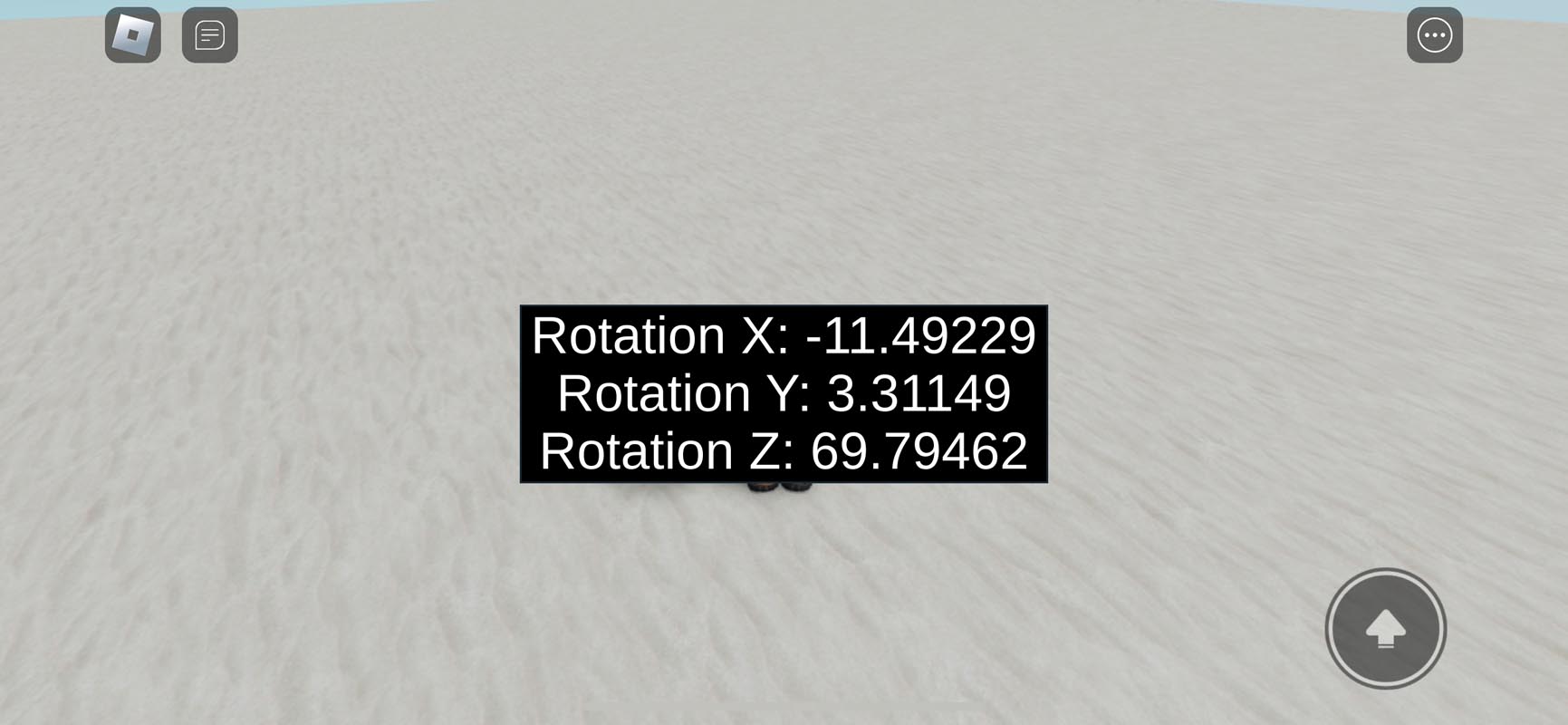
Roblox Studio
local UserInputService = game:GetService("UserInputService")
local Players = game:GetService("Players")

local player = Players.LocalPlayer

-- Wait for the PlayerGui and ScreenGui to be ready
local playerGui = player:WaitForChild("PlayerGui")
local screenGui = playerGui:WaitForChild("ScreenGui")

-- Create a TextLabel to display gyroscope data
local gyroLabel = Instance.new("TextLabel")
gyroLabel.Size = UDim2.new(0, 300, 0, 100)
gyroLabel.Position = UDim2.new(0.5, -150, 0.5, -50)  -- Centered on the screen
gyroLabel.BackgroundColor3 = Color3.fromRGB(0, 0, 0)
gyroLabel.TextColor3 = Color3.fromRGB(255, 255, 255)
gyroLabel.TextScaled = true
gyroLabel.Text = "Gyroscope Data: N/A"
gyroLabel.Parent = screenGui

-- Function to handle rotation changes
local function RotationChanged(_rotation, rotCFrame)
	local x, y, z = rotCFrame:ToEulerAnglesXYZ()

	-- Update the label with the rotation data
	gyroLabel.Text = string.format("Rotation X: %.5f, Rotation Y: %.5f, Rotation Z: %.5f", math.deg(x), math.deg(y), math.deg(z))
end

if UserInputService.GyroscopeEnabled then
	UserInputService.DeviceRotationChanged:Connect(RotationChanged)
end
Beschleunigungsmesser
Empty
Empty
Empty
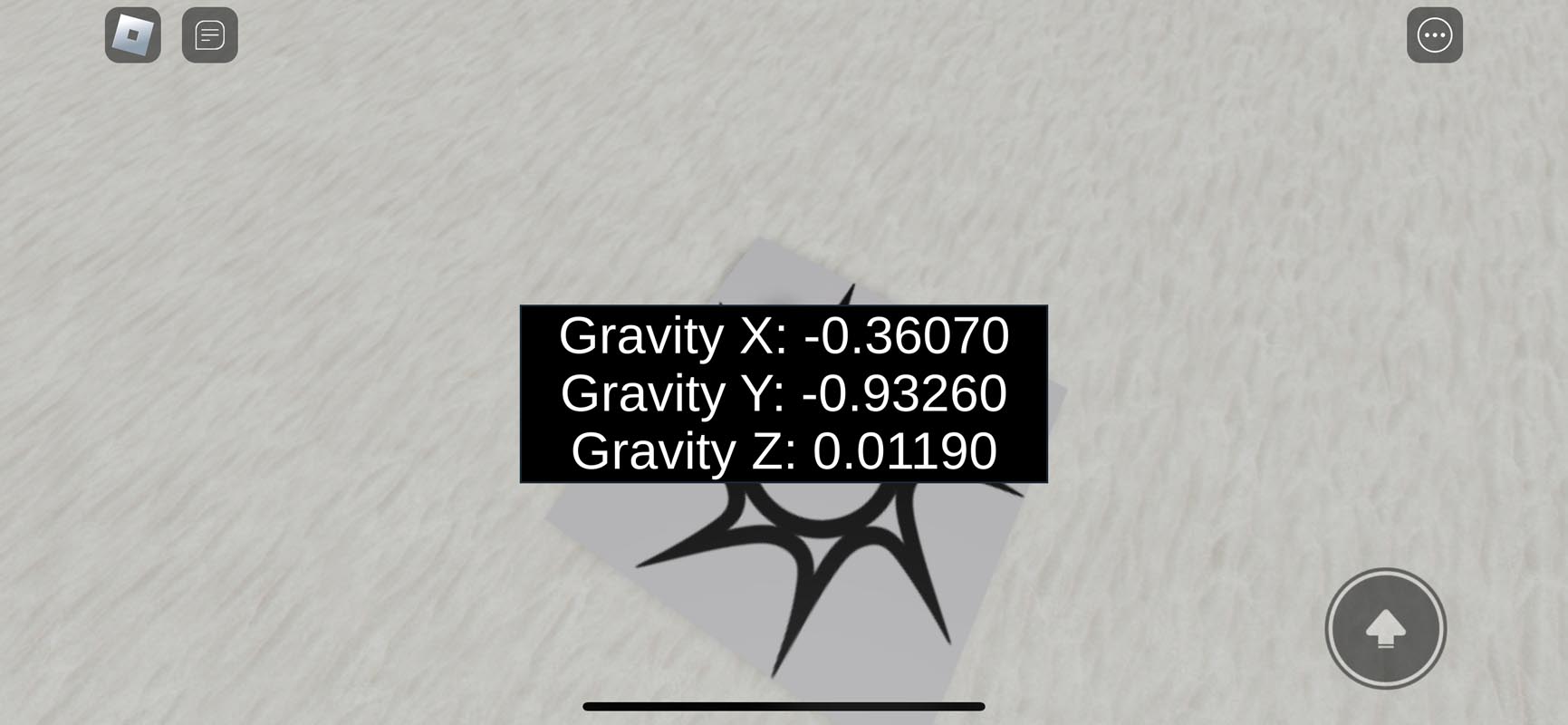
Roblox Studio
local UserInputService = game:GetService("UserInputService")
local Players = game:GetService("Players")

local player = Players.LocalPlayer

-- Wait for the PlayerGui and ScreenGui to be ready
local playerGui = player:WaitForChild("PlayerGui")
local screenGui = playerGui:WaitForChild("ScreenGui")

-- Create a TextLabel to display accelerometer data
local accelLabel = Instance.new("TextLabel")
accelLabel.Size = UDim2.new(0, 300, 0, 100)
accelLabel.Position = UDim2.new(0.5, -150, 0.5, -50)  -- Centered on the screen
accelLabel.BackgroundColor3 = Color3.fromRGB(0, 0, 0)
accelLabel.TextColor3 = Color3.fromRGB(255, 255, 255)
accelLabel.TextScaled = true
accelLabel.Text = "Gravity Data: N/A"
accelLabel.Parent = screenGui

-- Function to handle gravity changes and update the label
local function updateGravityLabel(gravity)
	accelLabel.Text = string.format("Gravity X: %.5f, Gravity Y: %.5f, Gravity Z: %.5f", gravity.Position.X, gravity.Position.Y, gravity.Position.Z)
end

if UserInputService.AccelerometerEnabled then
	UserInputService.DeviceGravityChanged:Connect(updateGravityLabel)
end